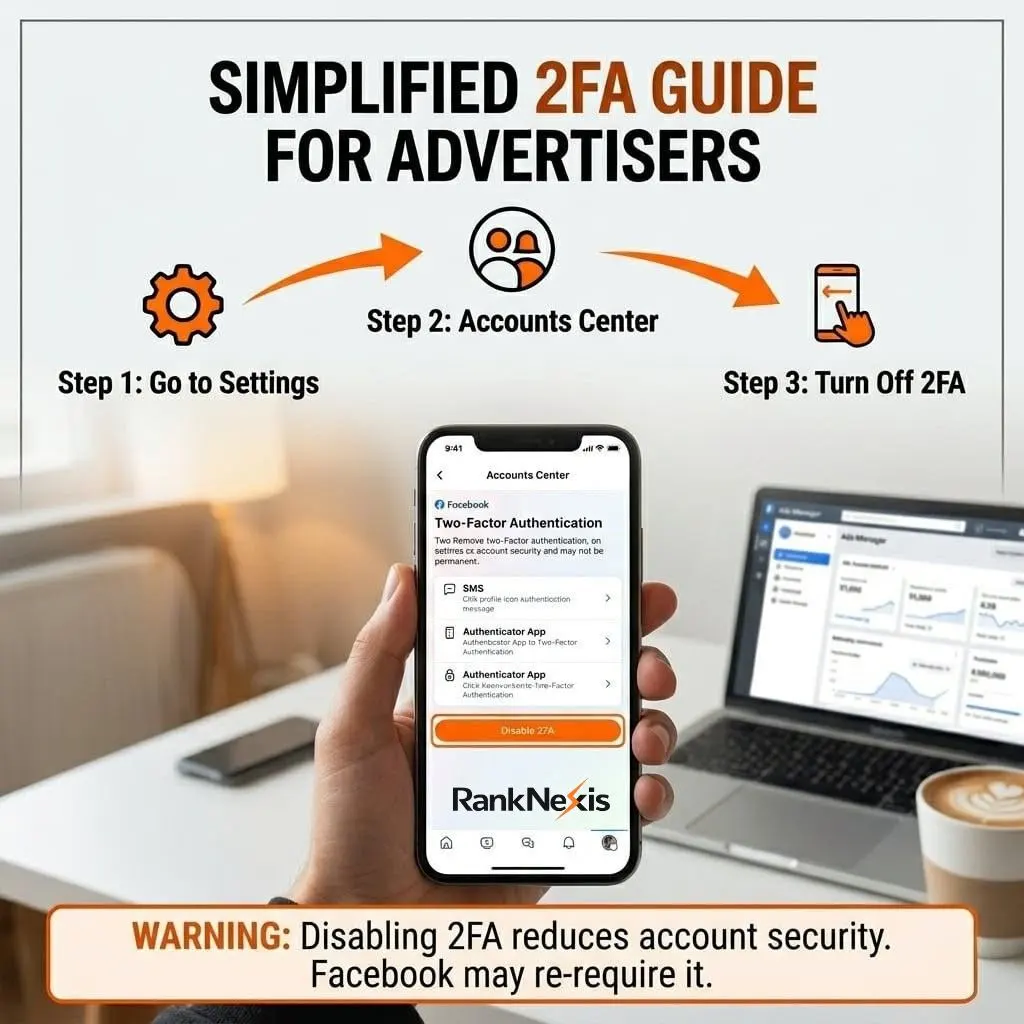
How to Remove Two-Factor Authentication in Facebook Ads Manager (2026 Guide)
A Complete Step-by-Step SEO Guide for Beginners & Professionals
Introduction: Why This Topic Matters
If you’re running ads on Facebook (Meta Ads), you’ve probably faced this situation: you try to access Ads Manager, and suddenly you’re stuck because of two-factor authentication (2FA).
Many users search for how to remove 2 factor authentication Facebook Ads Manager because:
- They lost access to their phone
- Codes are not arriving
- Business operations are getting blocked
- Or they simply want easier login access
But here’s the truth: 2FA is not just a setting it’s a security system required in many cases for Meta Ads accounts.
Still, there are legal ways to disable, manage, or bypass issues with 2FA, and in this guide, you’ll learn everything step-by-step in a simple, human-friendly way.
What is Two-Factor Authentication in Facebook Ads Manager?
Two-factor authentication (2FA) is a security feature that requires:
- Your password
- A second verification (code from phone/app)
This adds an extra layer of protection to prevent hacking.
According to guides, Facebook allows you to manage or disable 2FA from the Accounts Center , Password & Security , Two-Factor Authentication settings.
Important Warning Before Removing 2FA
Before you disable 2FA, you need to understand:
- Meta may require 2FA for Ads Manager access
- Removing it can reduce account security
- Some business accounts will force re-enabling it later
In many cases, Meta enforces 2FA for advertisers to protect ad accounts and billing data.
Pro Tip: Instead of removing 2FA, try switching method (SMS , Authenticator app).
I. How to Remove 2 Factor Authentication (Step-by-Step Guide)
Method 1: Remove 2FA from Facebook Settings (Most Common)
Follow these steps carefully:
Step 1: Login to Facebook
Go to Facebook and log in to your account.
Step 2: Open Settings
- Click profile icon (top right)
- Go to Settings & Privacy , Settings
Step 3: Go to Accounts Center
- Click Accounts Center (left side)
Step 4: Open Security Settings
- Click Password and Security
- Select Two-Factor Authentication
Step 5: Turn Off 2FA
- Choose your account
- Click the active method (SMS / Authenticator)
- Click Turn Off
- Enter your password to confirm
These steps match official processes where users can disable 2FA or specific methods from settings.
Method 2: Disable 2FA from Security & Login (Alternative Way)
Another simple way:
- Go to Settings , Security and Login
- Find Two-Factor Authentication
- Click Edit
- Select Turn Off
- Confirm with password
This method is commonly used on desktop versions of Facebook.
II. How to Remove 2FA from Facebook Ads Manager (Business Manager)
Now let’s talk about Ads Manager specifically.
Important Reality:
You cannot always remove 2FA from Ads Manager directly
Why?
- 2FA is tied to your Facebook profile, not Ads Manager
- Business accounts may require all admins to enable 2FA
Steps:
- Go to Business Settings
- Open Security Center
- Check: “Require 2FA for everyone”
- If enabled , Turn OFF (if you have permission)
If you are not the admin, you cannot disable this setting
III. Real-Life Example (Very Common Scenario)
Let’s say:
Rahim runs Facebook ads for clients
One day:
- He changes phone
- His old number is gone
- Ads Manager asks for code
Result?
❌ He cannot log in
❌ Clients’ ads stop
Solution he used:
- Logged in via mobile (already trusted device)
- Disabled old 2FA method
- Added new phone
Lesson: Always keep backup access
IV. What to Do If You Lost Access to 2FA (Very Important)
This is the most searched situation.
Case 1: Lost Phone / SIM
Try this:
- Click “Try another way”
- Use backup codes
- Use email verification
Case 2: Authenticator App Lost
- Check if app is backed up
- Restore from cloud
- Or switch to SMS
Case 3: Completely Locked Out
You need to:
- Use Facebook account recovery
- Submit ID verification
Without access, removing 2FA becomes more complex and requires recovery steps.
V. Why Facebook Forces 2FA for Ads Manager
Facebook (Meta) enforces 2FA because:
A. Protects Ad Budget
Hackers can run ads using your money
B. Protects Business Data
Customer data and pixels are sensitive
C. Prevents Account Hijacking
Without 2FA, accounts are easier to hack
VI. Best Alternatives Instead of Removing 2FA
Instead of disabling, do this:
1. Use Google Authenticator
More secure than SMS
2. Add Backup Codes
Save offline
3. Add Multiple Methods
- SMS
- Authenticator
- Security key
4. Trusted Devices
Meta now trusts frequently used devices automatically in some cases
VII. Common Problems & Fixes
Problem: Code Not Coming
Fix:
- Check network
- Try resend
- Use another method
Problem: Wrong Code
Fix:
- Sync time in authenticator
- Re-enter carefully
Problem: Ads Manager Access Denied
Fix:
- Enable 2FA instead of removing
- Contact admin
VIII. SEO Tips for Advertisers (Bonus Value)
If you're running ads:
- Always secure your account
- Use Business Manager properly
- Assign roles correctly
- Keep backup admin
Losing access = losing money
IX. FAQs (People Also Ask)
1. Can I remove 2FA from Facebook Ads Manager?
No, not directly. You must remove it from your Facebook account settings.
2. Why is Facebook forcing 2FA for ads?
Because it protects ad accounts, billing, and business data.
3. Can I disable 2FA permanently?
Sometimes yes, but many business accounts require it.
4. What happens if I remove 2FA?
- Easier login
- Lower security
- Risk of hacking
5. I lost my phone - how do I remove 2FA?
Use backup codes or account recovery options.
6. Is 2FA mandatory in 2026?
In many cases, yes - especially for advertisers.
Conclusion
Now you fully understand how to remove 2 factor authentication Facebook Ads Manager.
But here’s the honest advice:
Don’t remove 2FA unless absolutely necessary
Instead:
- Update your number
- Use authenticator apps
- Keep backup access
Because in digital marketing, security = money + business survival
If your account gets hacked, you don’t just lose access - you lose:
- Ads
- Clients
- Revenue
So always choose smart security over convenience.